One platform, made for three people
Atrium gives your community administrator, your board, and every homeowner one login, and each of them sees exactly what their role needs. Here's a day with each of them. Every screen below is the real product.

Community Administrator · Maple Grove HOA
Meet Dana
Dana keeps 250 homes running without living in a spreadsheet. A violation gets filed from a single sentence, the annual meeting notice reaches every home with proof it landed, and the books stay honest on their own. Work that used to eat her evenings now takes a few minutes.
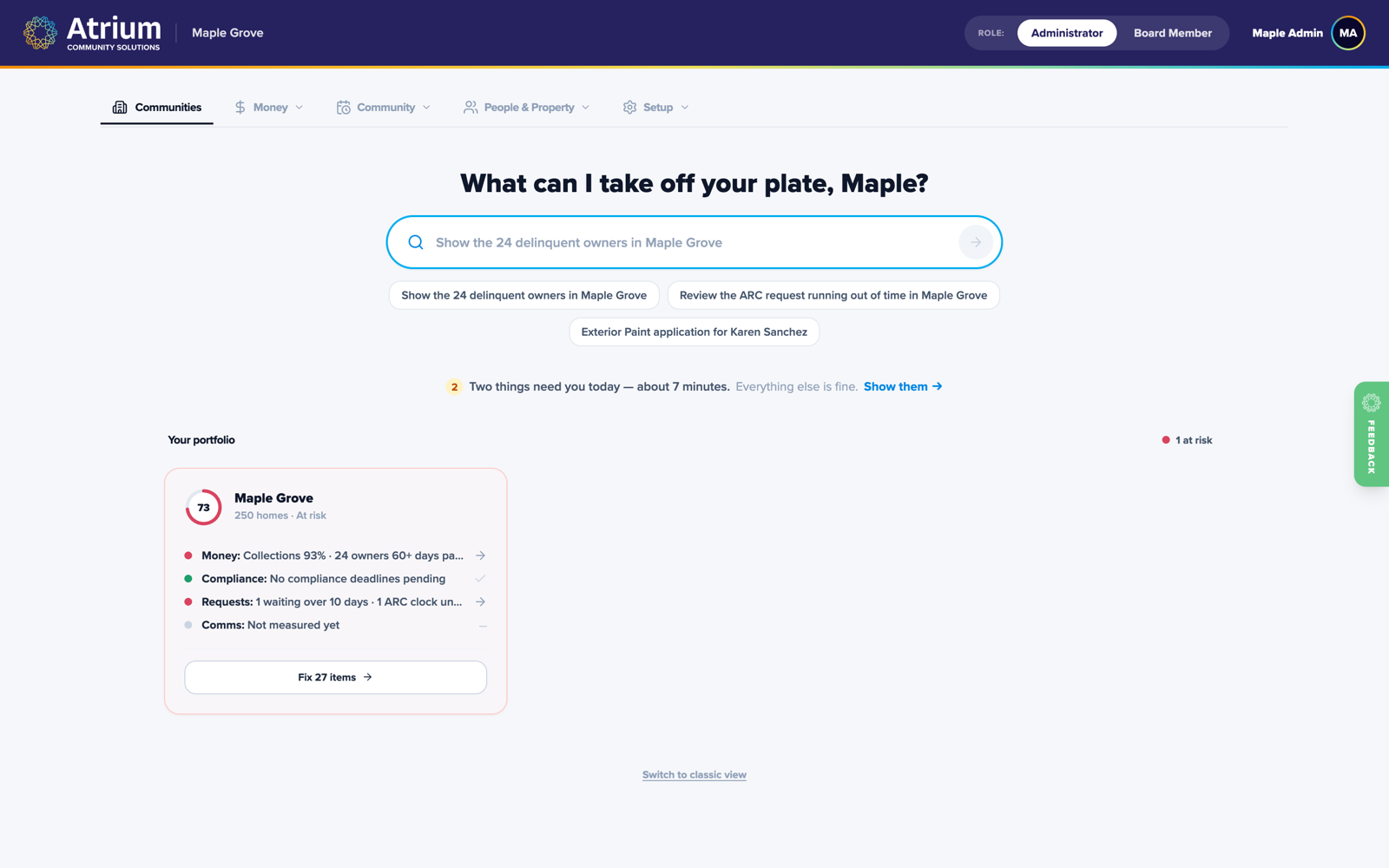
The ask bar
The fastest admin in the industry is a sentence
Dana asks Atrium a question and it answers from the community's real records, with sources. Tell it to file a violation for a specific address and it stages the paperwork, shows exactly what will happen, and waits for a confirmation. Undo is always one click away.
- Grounded answers, not guesses
- Stage violations and requests from plain English
- Opens the exact record you asked about
- Confirm-before-write, always
Violations
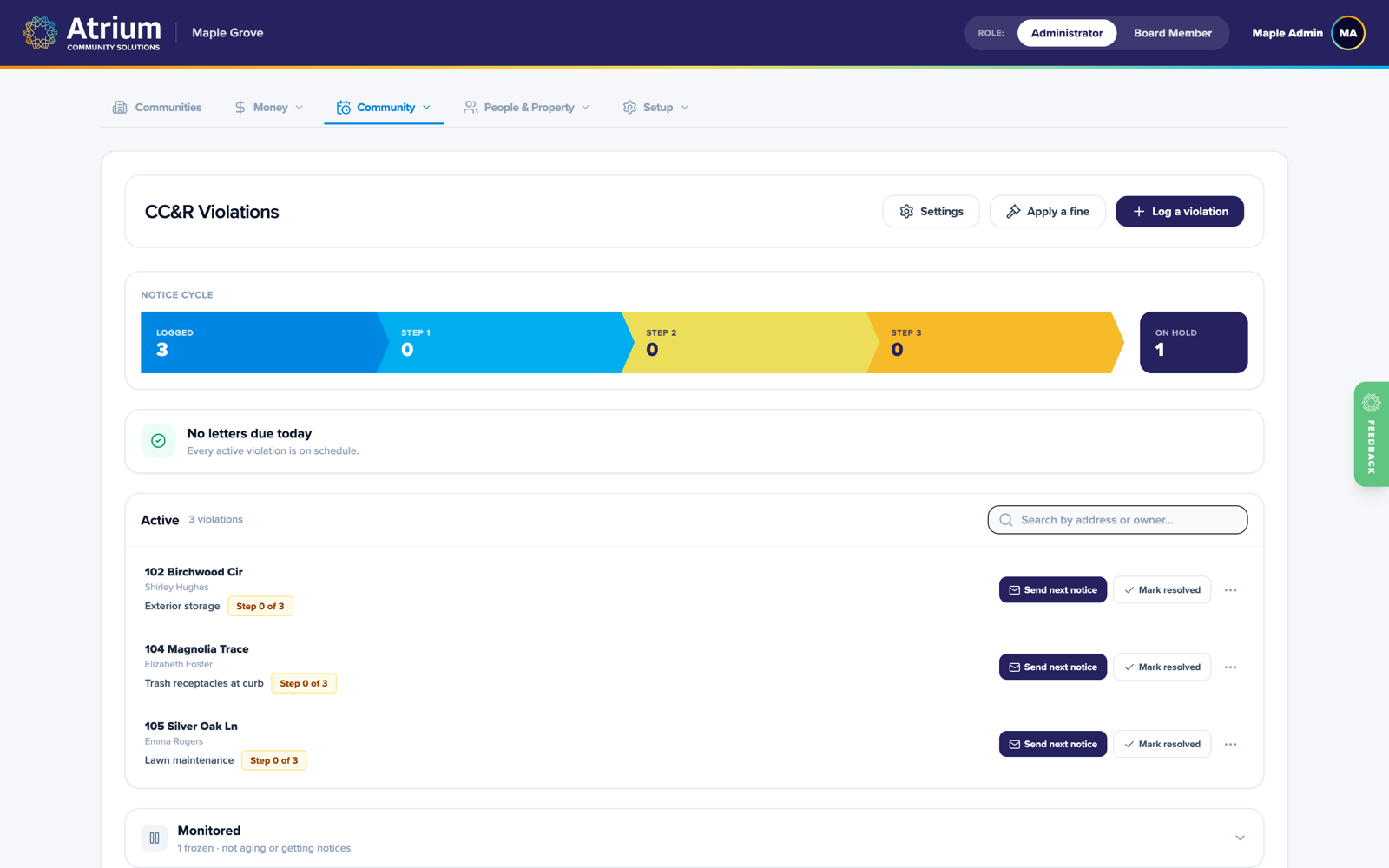
From drive-by observation to closed, in one timeline
Log a violation in seconds, with photos. Atrium tracks each one through notice, cure period, and resolution, generates professional letters from your templates, and files everything on the home's permanent record.
- Task-first queue sorted by what needs you today
- Letter generation with your community's rules
- Monitored state for graceful pauses
- One clean history per home
Money and dues
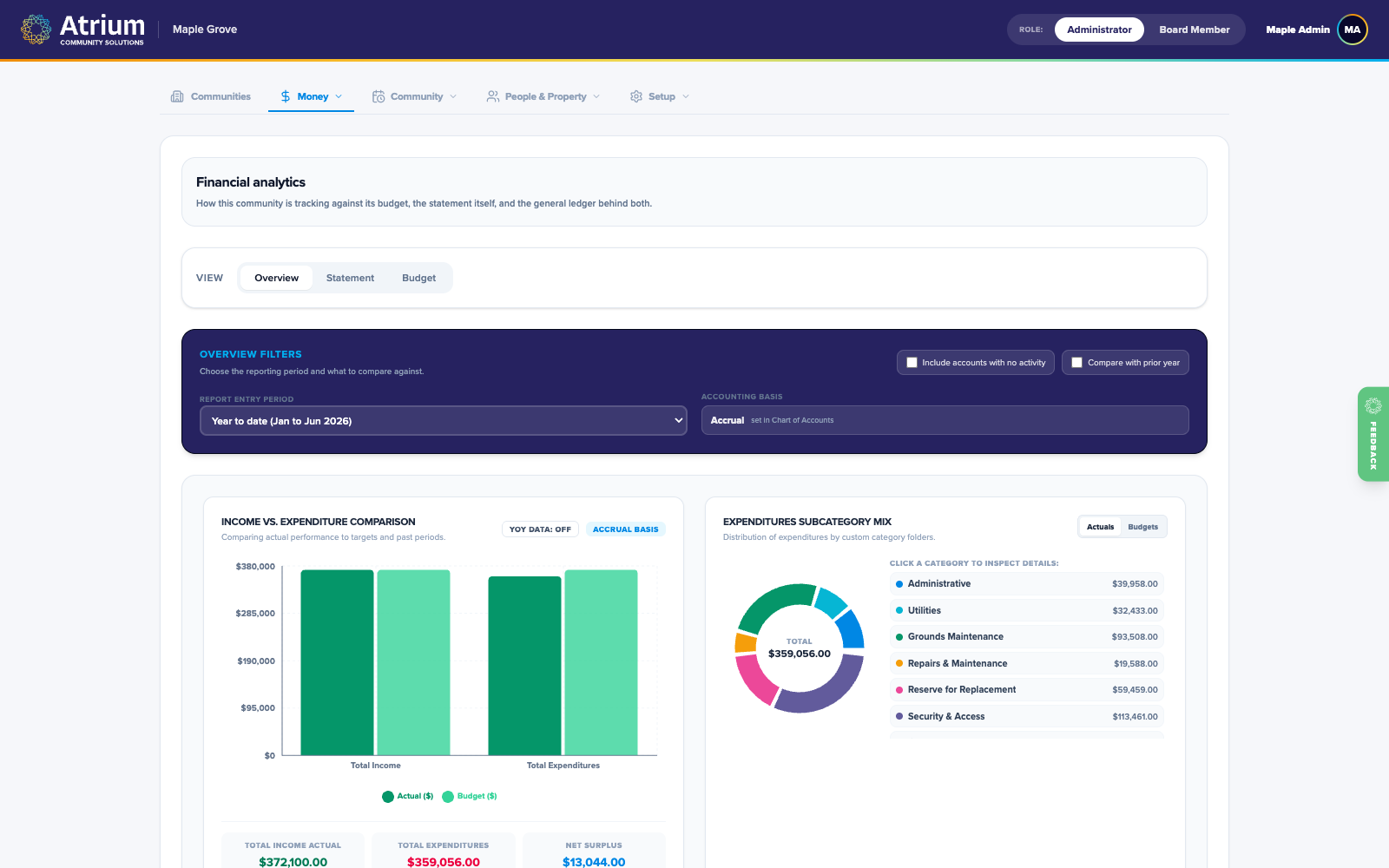
Assessments, payments, and honest books
Dana sets the assessment schedule once and Atrium bills it forever. Homeowners pay online or enroll in autopay, receipts post to the correct ledger automatically, and the financial views always reflect reality. Stripe handles every card and bank transfer.
- Recurring assessments on autopilot
- Autopay homeowners set up themselves
- Per-home statements and balances
- Budgets and board-ready reporting
Communication
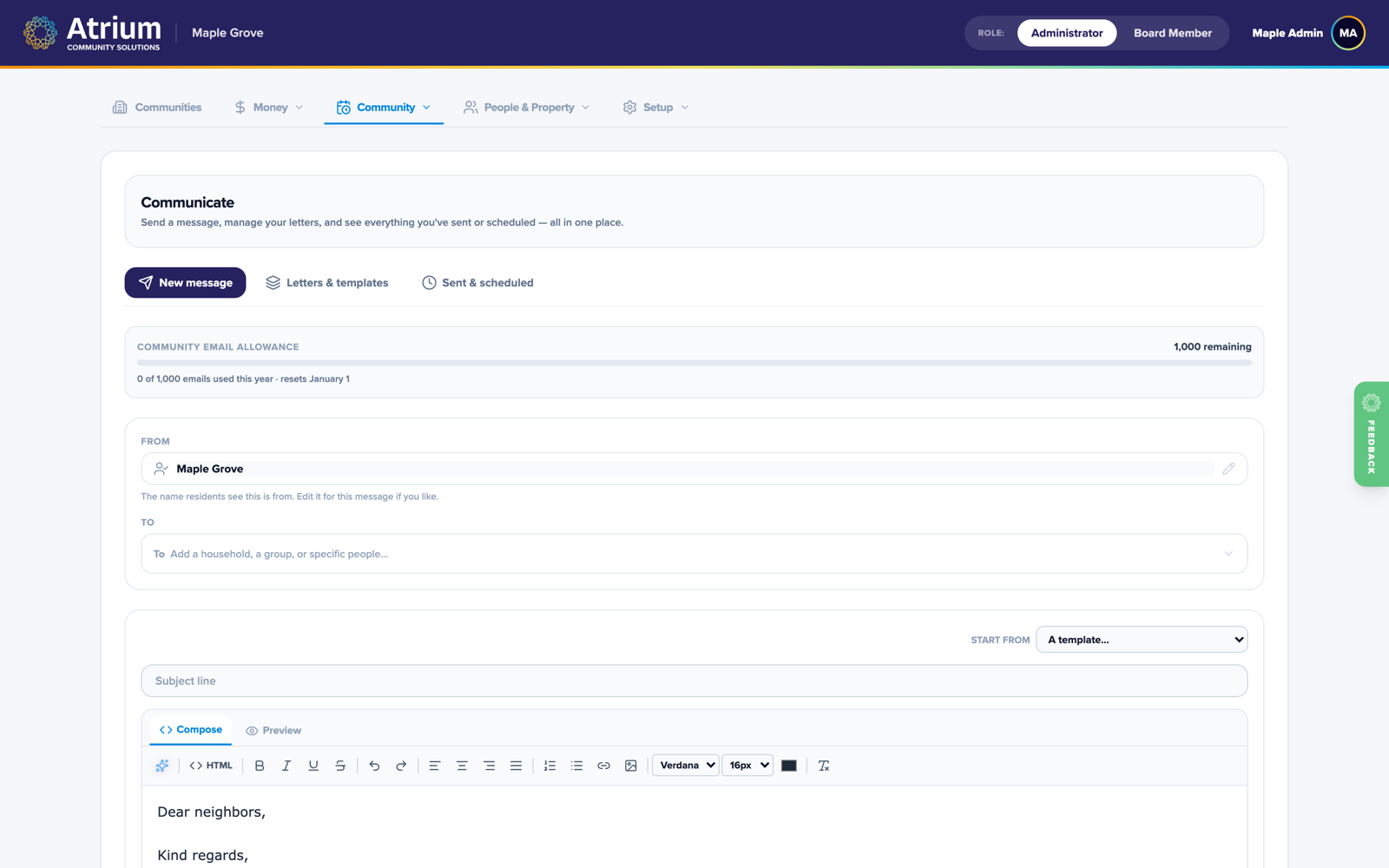
Say it once, prove it landed
Compose in a clean editor with merge fields, send to exactly the right homes, and watch delivery in real time. Meeting notices, newsletters, and violation letters all travel the same rail and live in the same per-home history.
- Tracked email with open and click reporting
- Templates and starters for common notices
- Send permissions your board controls
- Every message archived per home

Board Treasurer · Maple Grove HOA
Meet Marcus
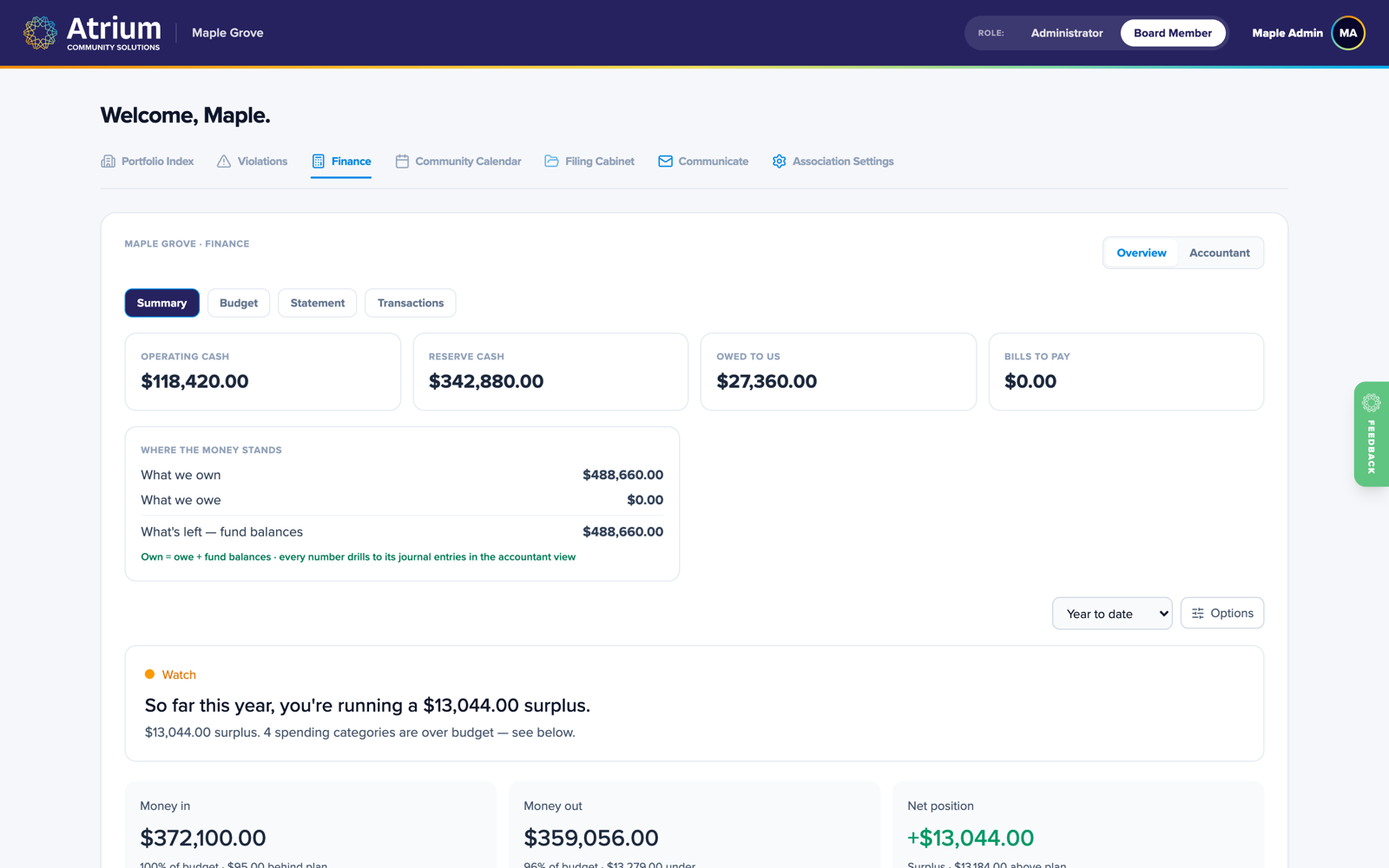
Marcus does not want another binder. He wants current numbers he can trust, before the meeting instead of three days after it. And when a question comes up mid-meeting, the answer is one sentence away, straight from the ledger.
Board portal
Oversight without the binder
Marcus logs in and sees real financials, open architectural requests, and violations at a glance, all read-only and always current. The board ask bar answers questions like how much did we spend on landscaping this year, straight from the ledger.
- Live financial summaries
- Read-only violations and ARC oversight
- A board ask bar for instant answers
Architectural review
From homeowner sketch to committee vote, in one docket
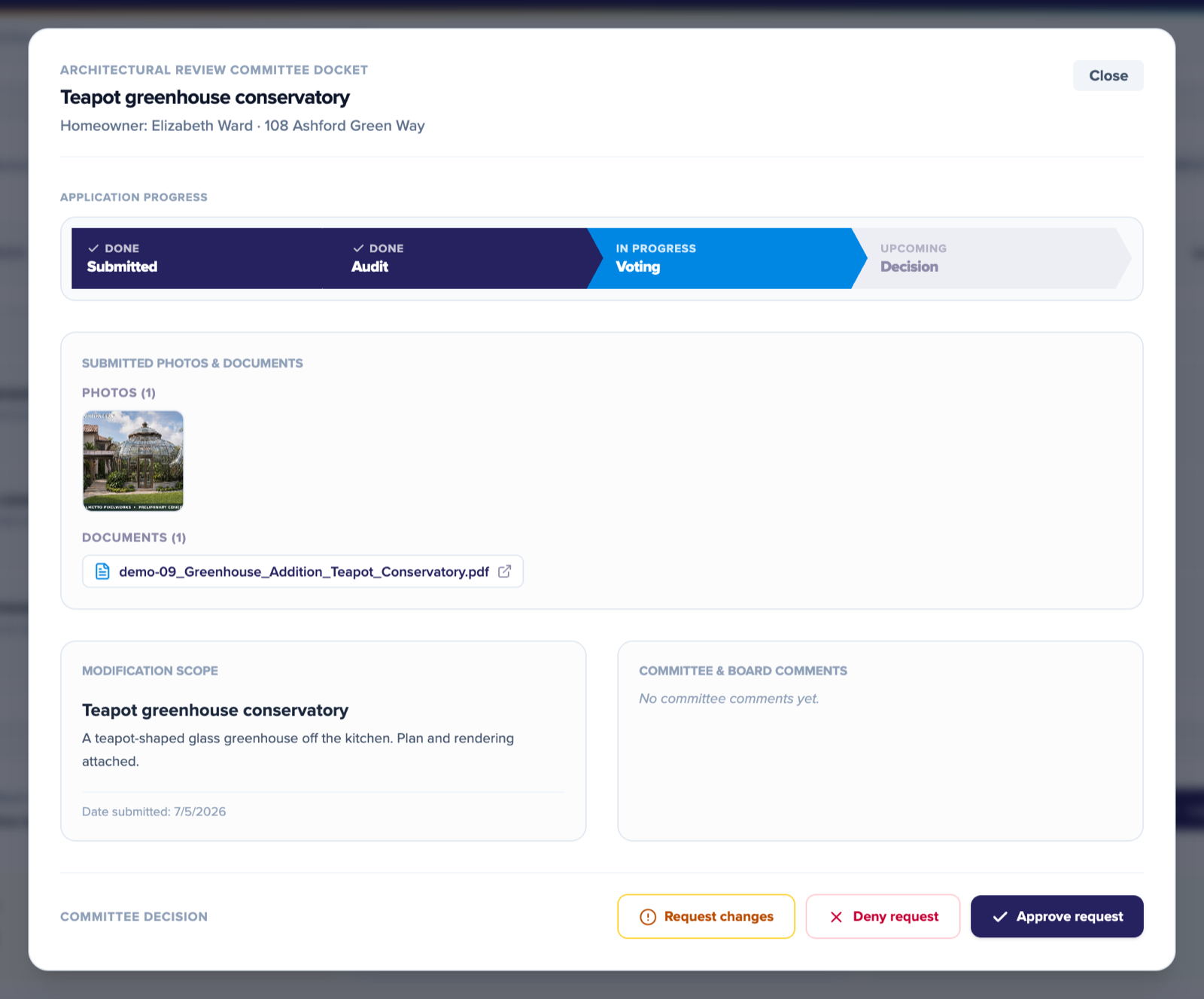
A homeowner submits their fence, paint, or pergola request from their portal, with photos and plan documents attached. The committee reviews the full packet in one docket, votes with a real quorum, and the homeowner gets the decision by email the moment it's made.
- Plans and renderings attached to every request
- Committee voting with a real quorum
- Clear progress from submitted to decision
- Decisions emailed to the homeowner automatically

Homeowner · Maple Grove
Meet Elena
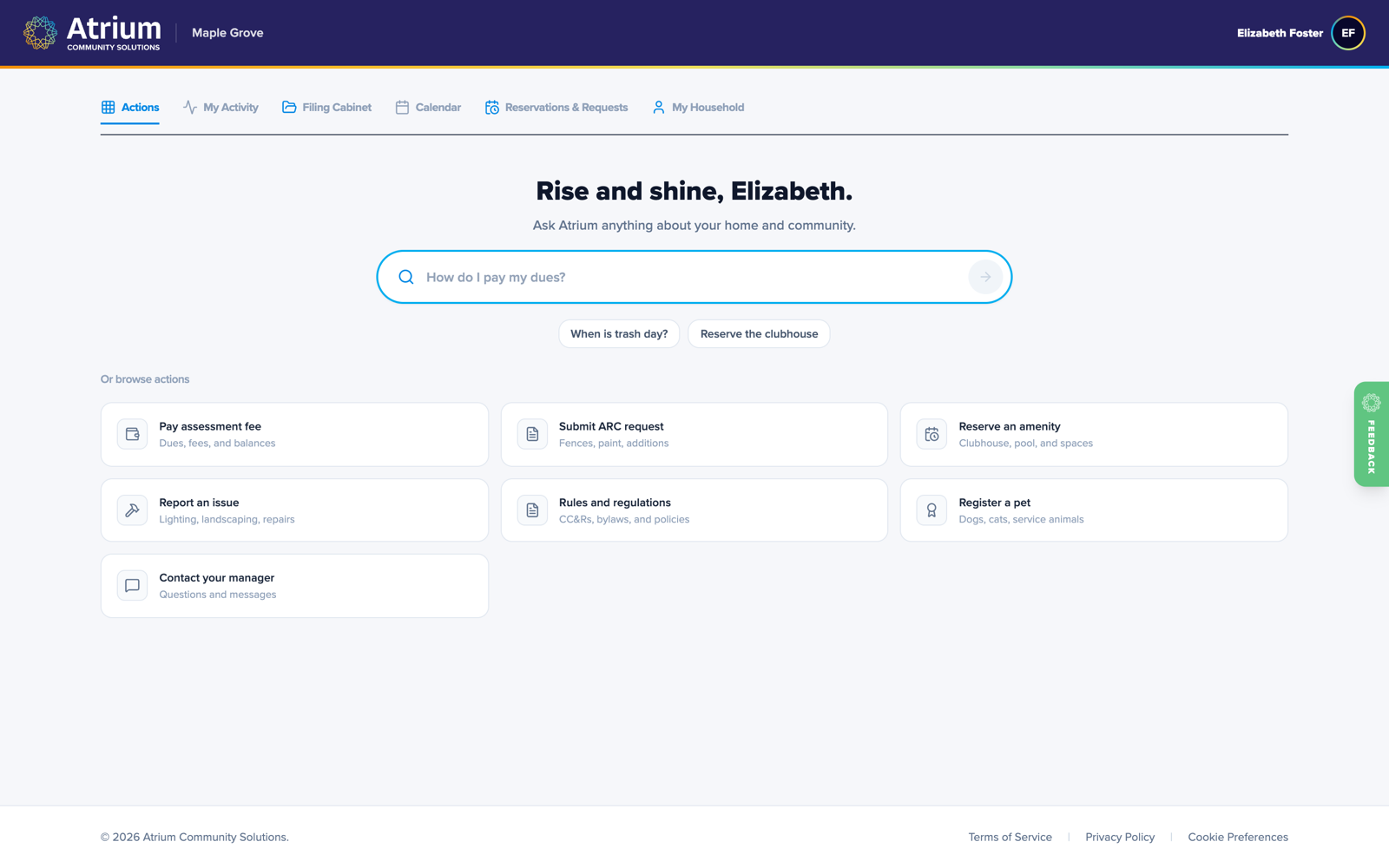
Elena just wants things easy: dues paid in a tap, the clubhouse booked for Saturday, a fence request submitted, and a clear view of anything the home needs, all in one simple portal. She never has to play phone tag with the board.
Homeowner portal
Homeowners help themselves
Elena gets a simple portal: current balance, one-tap payment, household details, community documents, and a heads-up on anything that needs her attention. Or just ask it a question in plain English, the same way the admin does.
- Statement and one-click payment
- Documents and records on demand
- Ask the portal anything about your home
Reservations
Book the clubhouse, pay the fee, done
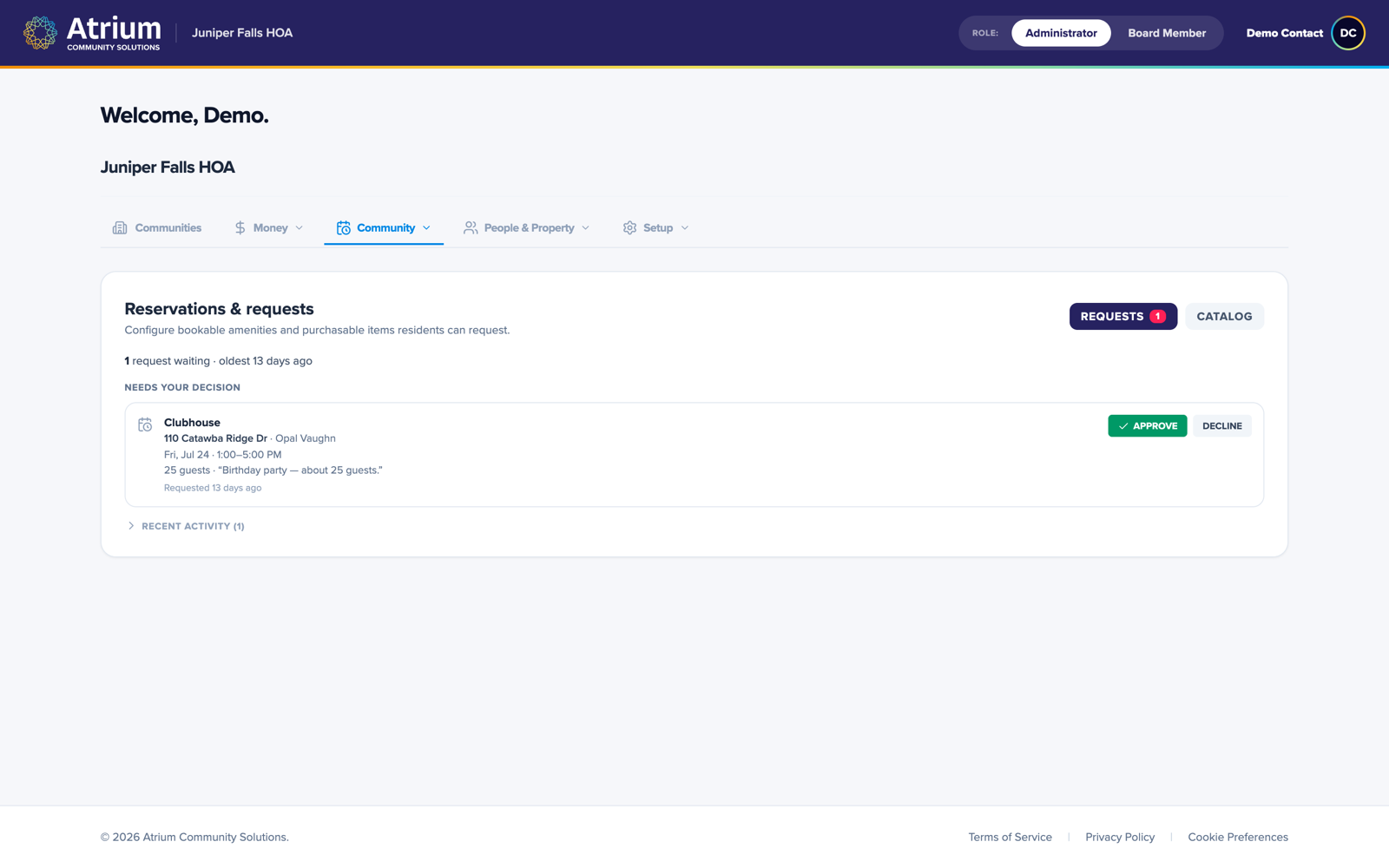
Elena reserves the clubhouse for Saturday right from the portal, pays the rental fee online, and the request lands with the admin for a one-tap approval. She books it and pays for it in the same minute, without calling anyone or printing a form.
- Book amenities from your phone
- Pay rental fees online
- Requests routed for quick approval
One platform for all three
Sign up online and every role is ready on day one.